
For restaurants
Orders, kitchen and till at peak time, all at once.
Sell at the counter or serve at the table: an order reaches the kitchen display the moment it is taken, and payment is closed quickly. Delivery orders from food delivery platforms appear on the same screen.
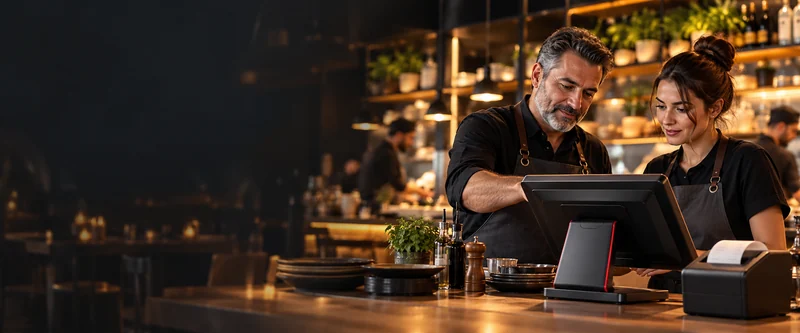
However you work
With or without tables, the same system.
Counter service and self-service
Doner and kebab shops, traditional eateries, any restaurant that sells over the counter: the order is taken at the till, the receipt carries a number and the order joins the queue on the kitchen display. No need to open a table.
Table service
The waiter takes the order at the table; tables can be split, merged and moved, and separate bills are kept for guests at the same table. If you like, you can use both together in the same venue.
A day in a restaurant
From opening to end of day.
-
1
11:00 · Opening
If you sell at the counter, your quick-sale screen is ready; if you serve at tables, your floor plan is ready. If you have branches, menus and prices come from head office.
-
2
12:30 · Peak time
Orders are taken at the till at the counter or on the waiter terminal at the table; they reach the kitchen display and the relevant printer at the same time. Delivery and platform orders join the same queue.
-
3
14:00 · Payment
One tap at the counter, a split bill at the table; cash, card or contactless. The amount goes from the till straight to the card payment terminal.
-
4
23:30 · Closing
The end-of-day report is ready. If you have branches, you monitor them all from one place.
What we often hear in restaurants
Three problems, three solutions.
“Orders reach the kitchen late.”
An order taken at the till or at the table reaches the kitchen display instantly; no paper order tickets passed from hand to hand.
Kitchen display“I only find out what I sold the next day.”
Sales show up in reports instantly and the end-of-day report is ready at closing; you monitor your branches from your phone.
RestoOne mobile reporting“Delivery orders are stuck on a separate tablet.”
Just Eat, Uber Eats, Deliveroo and Wolt orders arrive automatically on the same screen and in the kitchen.
Platform integrationBuilding blocks for your restaurant
All part of the same system
Choose what you need; anything you add later connects to the same system.
Our restaurant customers
These restaurants use RestoPOS
Here are a few; we can share other restaurant customers close to your area and scale with you.
 18+ branches
 7+ branches
 6+ branches
 3+ branches
 3+ branches
 3+ branches
 2+ branches
 2+ branches
 2+ branches
 2+ branches
 2+ branches
- and many moreAsk about our restaurant customers
Frequently asked questions
What restaurant owners ask.
We don't have tables, we sell over the counter; is it right for us?
Yes. Orders are taken on the quick-sale screen at the till, the receipt is given a number, and the kitchen display and delivery orders work in the same way. The floor plan only comes into play if you serve at tables.
We have more than one kitchen or bar; will orders get mixed up?
No. Order printers are assigned per section or product group; each order goes to its own kitchen or bar.
Can we give foreign guests the bill in their own language?
Yes. The bill can be printed in 6 different languages.
Let's plan the set-up for your restaurant together
Tell us about your business, how you work and how many branches you have; we'll show you a configuration tailored to you in a free demo.
Why don't we list prices?A single-till café and a multi-branch chain don't have the same needs; we work out the price with you based on your number of branches, your hardware and the features you choose.
Other industries
A different type of business?
Fast food
Nothing gets lost in the queue at peak time.
Industry pageBakery and patisserie
Display counter, tables and delivery on one till.
Industry pageCoffee shop
Before the queue grows or the coffee goes cold.
Industry pageBeach club
No cash on site, just cards.
Industry pageNuts and dried fruit
Sold by weight or pre-packed, on one till.
Industry page