
Contactless Ordering and Payment
Contactless ordering with QR menus, standalone kiosks and pay at table.
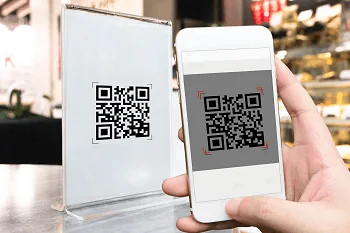
Solutions in Contactless Ordering
QR Menu (MyMenu)
Digitise your menu and stop paying for printing. Price and content changes appear instantly.
Learn moreRestoPOS Kiosk
Guests order on screen in their own language and build their meal; they pay by card at the kiosk or in cash at the till. The order goes straight to RestoPOS.
Learn morePay at Table
Guests scan the QR code at the table, see the bill, split it and pay by card or mobile wallet.
Learn moreRSManager QR Menu, Online Ordering and Till
From online ordering and payment through a QR menu in 12 languages, to the till and table management, to the kitchen display and couriers: your restaurant's front of house in one system.
Learn moreWhich one is right for you?
They are all part of the same system; you can use more than one together.
| Solution | What it does |
|---|---|
| QR Menu (MyMenu) | Digitise your menu with a QR menu |
| RestoPOS Kiosk | Self-service ordering and payment kiosks: multilingual menu, card or cash payment |
| Pay at Table | Guests scan the table QR code, split the bill and pay by card or mobile wallet |
| RSManager QR Menu, Online Ordering and Till | From QR menu ordering and payment in 12 languages to the till, tables, kitchen display and couriers: front of house in one system |
As part of the Point of Sale Solutions, it includes the QR Menu, Standalone Kiosk and Pay at Table systems used for ordering and paying in businesses such as restaurants, fast food outlets, patisseries and nut and grocery shops.
QR Menu
- With the QR code you place on the tables, your customers can access your menu by scanning the QR code with their camera, without downloading any app to their mobile devices.
- Your customers can browse your products and build a basket of the items they want without touching anything other than their own mobile phone or tablet.
- Your customer's selections are automatically turned into a QR code; the waiter scans it with a waiter handheld or the cashier with a QR code reader, and the order is taken contactlessly.
Standalone kiosk system
- Gives your customers the freedom to order on easy-to-use screens without queuing.
- Special campaigns and promotions are run for your customers.
- The system takes payment from your customers using a range of payment methods.
- Used at any screen size, floor-standing or wall-mounted, landscape or portrait.
Pay at table
Your customer scans the QR code on the table with their own mobile phone and sees the bill. They can split the bill and pay by card or with the wallet on their phone. The table appears as paid at the till.
Let's work out the right setup for your business together
Tell us your industry and how many branches you have, and we will show you a tailored setup in a free demo.