
Loyalty Management System · A mobile app for your brand
Your guest comes once. Give them a reason to come back.
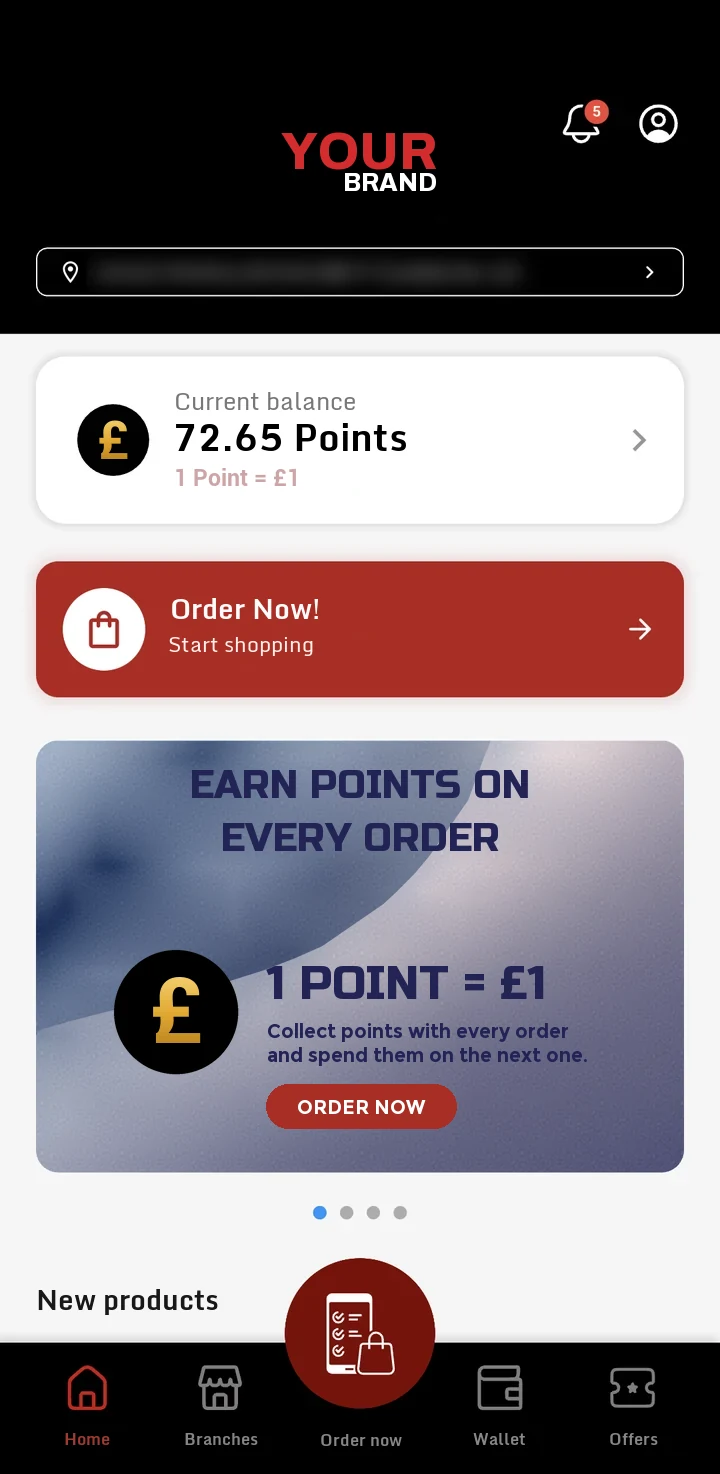
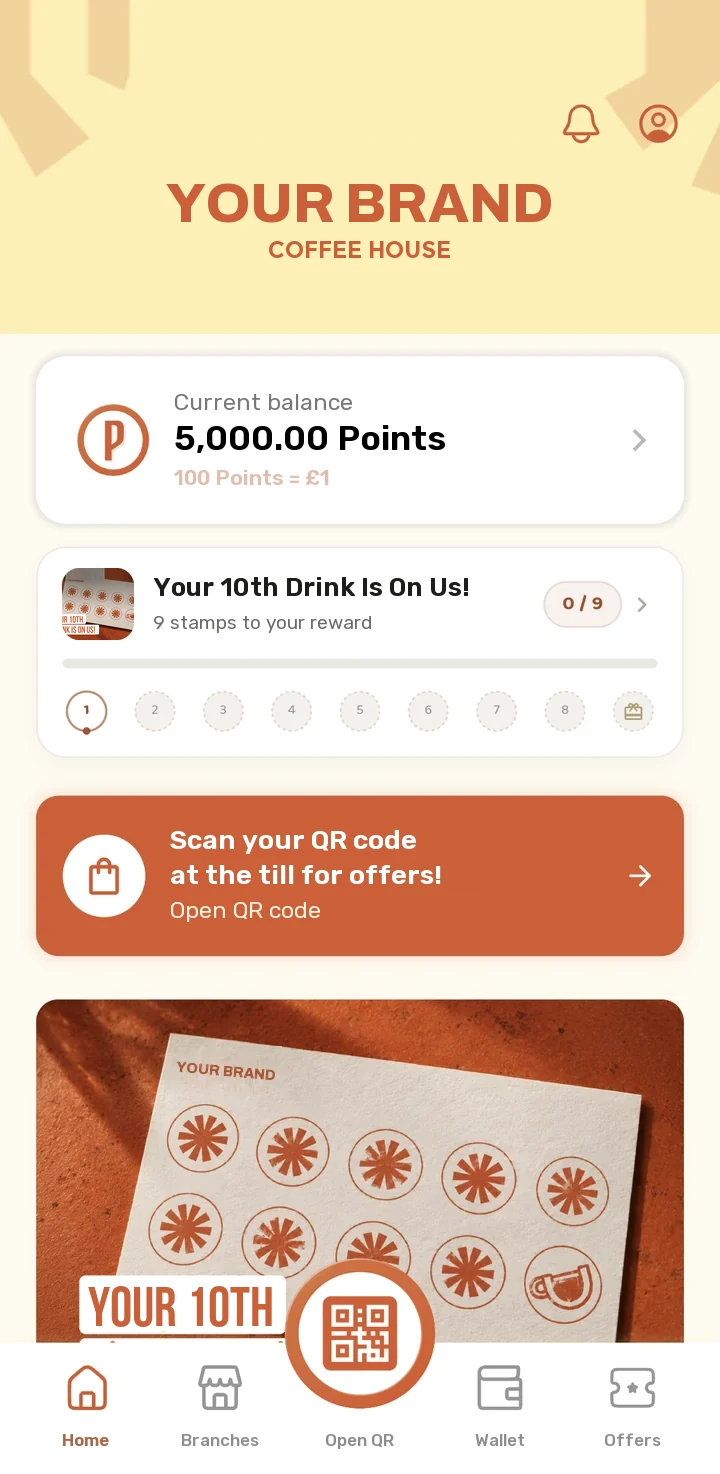
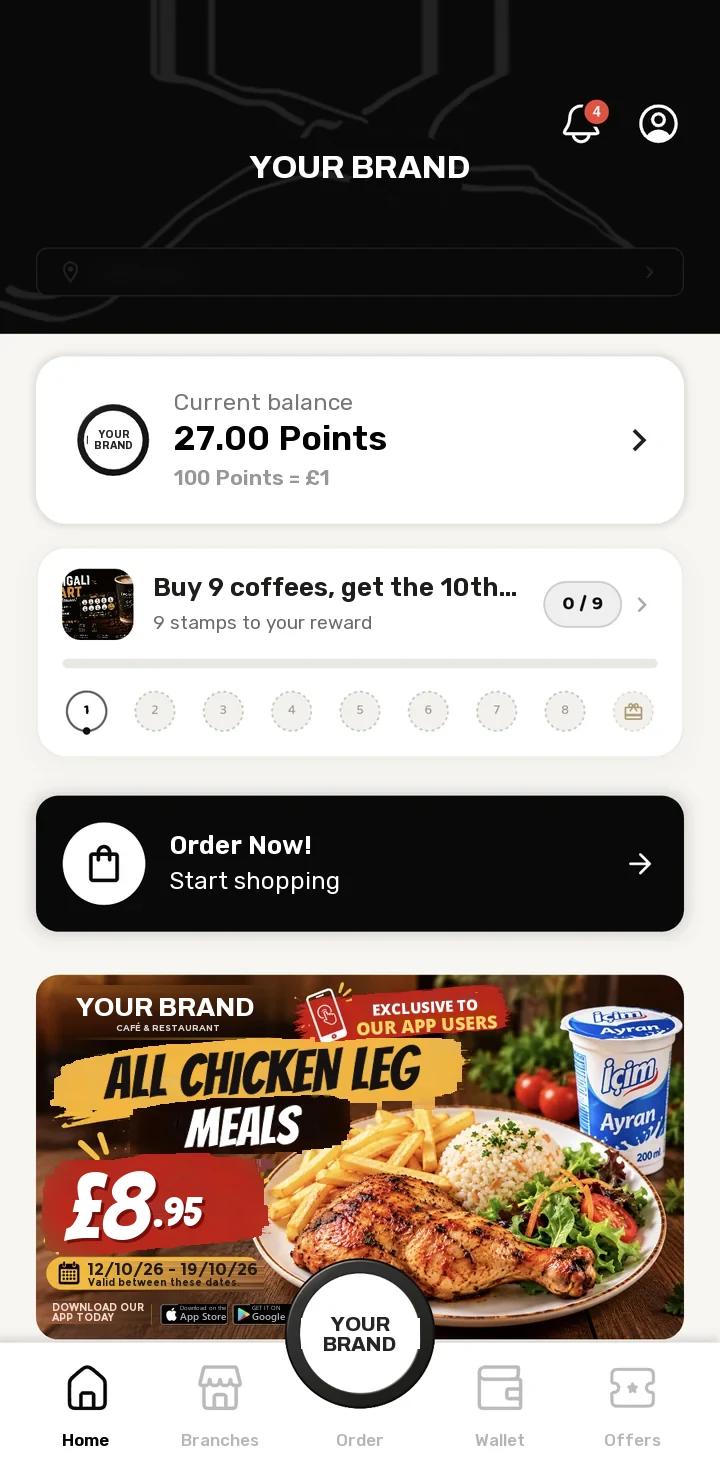
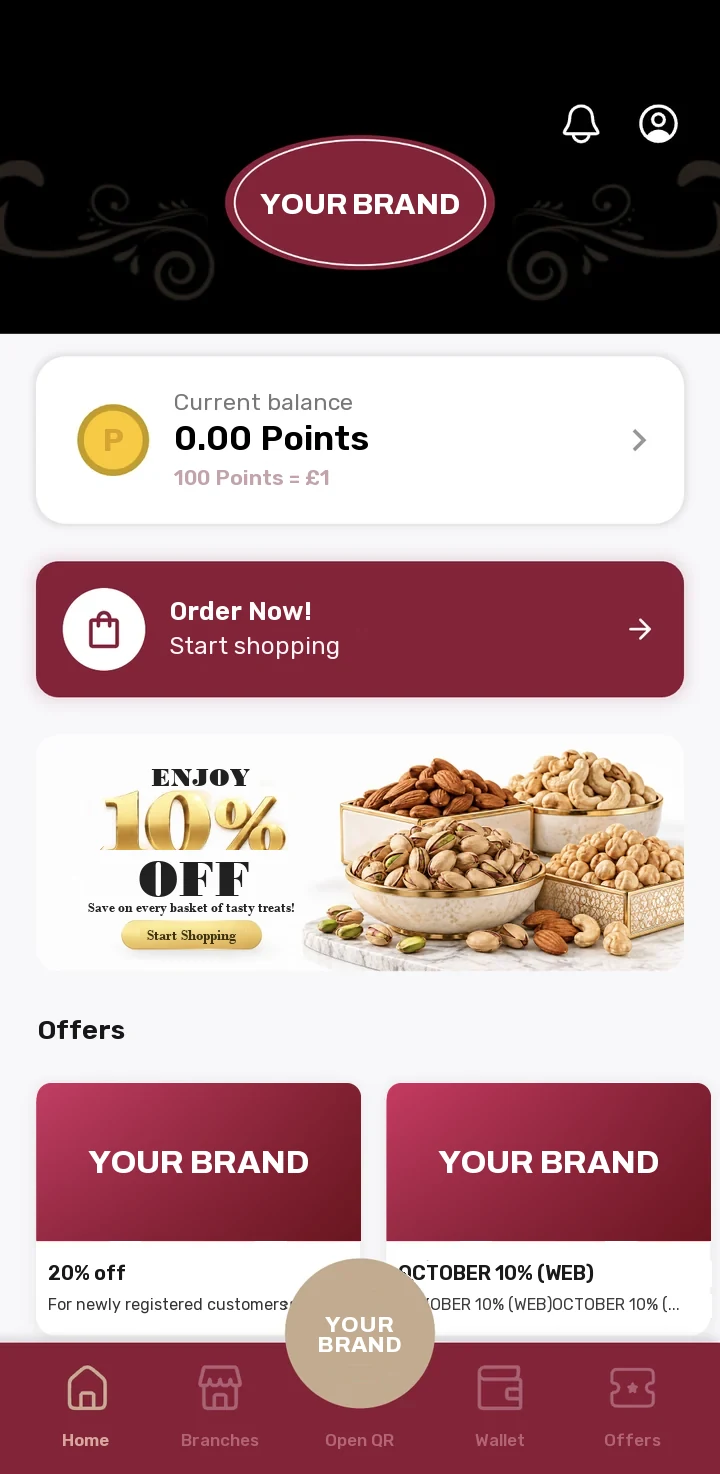
What keeps a restaurant going is not finding new guests every day; it is getting those who come to return. The Loyalty Management System gives your business a mobile app that carries its own name, colours and points. Your guests earn on every visit, see your campaigns in their pocket and place their orders with you directly, with no middleman. The largest restaurant CRM app, reaching more than 1.5 million users, also runs on this platform.
What are we selling?
We don't sell discounts. We build habits.
A discount brings a guest in once; a habit brings them in every week. Every moment a guest opens your app is a moment they are thinking of you, not your competitor. The Loyalty Management System was designed to multiply those moments.
-
1
Gets to know you
The guest downloads your app and signs up with their phone. They are now a guest with a name, not an anonymous receipt.
-
2
Is recognised
They show the QR code on their phone at the till; their campaign is applied to the bill.
-
3
Earns
They collect points as they spend and stamps as they visit. When the card is full, their gift lands in their wallet as a coupon.
-
4
Remembers
Your new campaign arrives on their phone as a notification; the points and coupons waiting for them call them back.
-
5
Returns
They place their next order directly with you, not with an intermediary platform; they spend their points and earn new ones.
Who is it for?
Every business that knows its guests' faces and wants to know their names too.
For every business with regulars, from a single-branch eatery to a multi-site coffee chain. The business decides which features are switched on; you can start with points only and switch on ordering later.
Restaurants and eateries
QR table, collection and delivery orders in one app; reward your regulars with points.
Cafés and coffee chains
Move the "tenth coffee is on us" habit from a paper card to your guest's phone.
Fast food and doner
Fast ordering with meal deal and condiment choices; a reason for frequent guests every time.
Chain brands and franchises
Publish campaigns branch by branch; guests see the offers of the branch they visit.
Delivery businesses
Take your loyal guests' orders through your own channel without paying platform commission.
Retail shops
It can also be used with points, coupons and campaigns only, without opening an order channel.
Your brand
Your guests don't download our app; they download yours.
The app is listed in the stores under your business's name. The logo, colours, typeface and the name of the points are yours. The platform is shared; the experience is yours.
- Your own name and logoThe brand shown in the store, on the phone's home screen and in notifications is yours.
- Your own coloursEvery screen is drawn in your brand's colours and typeface.
- Your own points nameYour points carry your brand's name; their value is shown clearly to guests (for example, 1 Point = £1).
- You decide which channels are onDelivery, collection, QR at the table, waiter calling and the prize wheel are switched on and off remotely; no app update is needed.
- Multiple languagesThe app's text comes from the server; speak to your guests in their own language.
- Your social media one tap awayLinks from the home screen to your Instagram, Facebook, TikTok and YouTube accounts.
Modules
Loyalty and sales. In the same app, with the same guest.
Start with the module you need. Because they all work on the same guest account, points meet the order, campaigns meet the till and coupons meet the wallet.
Points, stamps and coupons
Turn every visit into a reason for the guest to come back.
Points
Points earned by spending and spent when ordering.
- Points earned on every order
- Use all the points or as many as you like
- Points history and expired points tracking
Stamp card
The digital version of the paper card; never lost, never forgotten.
- A stamp on every qualifying transaction
- Remaining stamps shown on the home screen
- A reward coupon in one tap when the card is full
Coupons and prize wheel
Where the gift sits in the guest's pocket.
- Coupons with expiry dates
- QR code coupons scanned at the till
- Win coupons with the prize wheel
Points from receipts
Guests who don't order through the app earn too.
- Turn a purchase into points by entering the code on the receipt
- Earned points appear in the balance instantly
- Recent transactions list in the wallet
Campaigns and offers
Show the right offer at the right branch to the right guest.
Branch-level campaigns
Each branch's offers are listed separately.
- Campaign list by branch
- Campaign cards with images
- Campaign details showing the terms
Campaigns at checkout
The guest doesn't search; the campaign finds them.
- Qualifying campaigns applied to the basket automatically
- Discounts with coupon codes
- The discount shown separately in the order summary
Announcements
Be the first to tell guests what's new.
- Campaign images on the home screen
- Push notifications and a notification inbox
- New products section
Order channels
Wherever the guest is, let the order come to you.
Delivery
Your own delivery channel.
- Choose a saved address or pick one on the map
- Service area check
- Delivery now or at a later time
Collection
Ready to pick up, without queuing.
- Branch selection by province and district
- Branch opening hours
- Find my nearest branch
QR table ordering
Guests at the table don't wait for a waiter.
- Order by scanning the QR code on the table
- Waiter calling
- Table session and table number
My orders
Guests reorder their favourites in one tap.
- Past orders and points used
- Order details
- Repeat the same order
Payment
Let guests pay the way they want to.
Online payment
Pay by card when ordering.
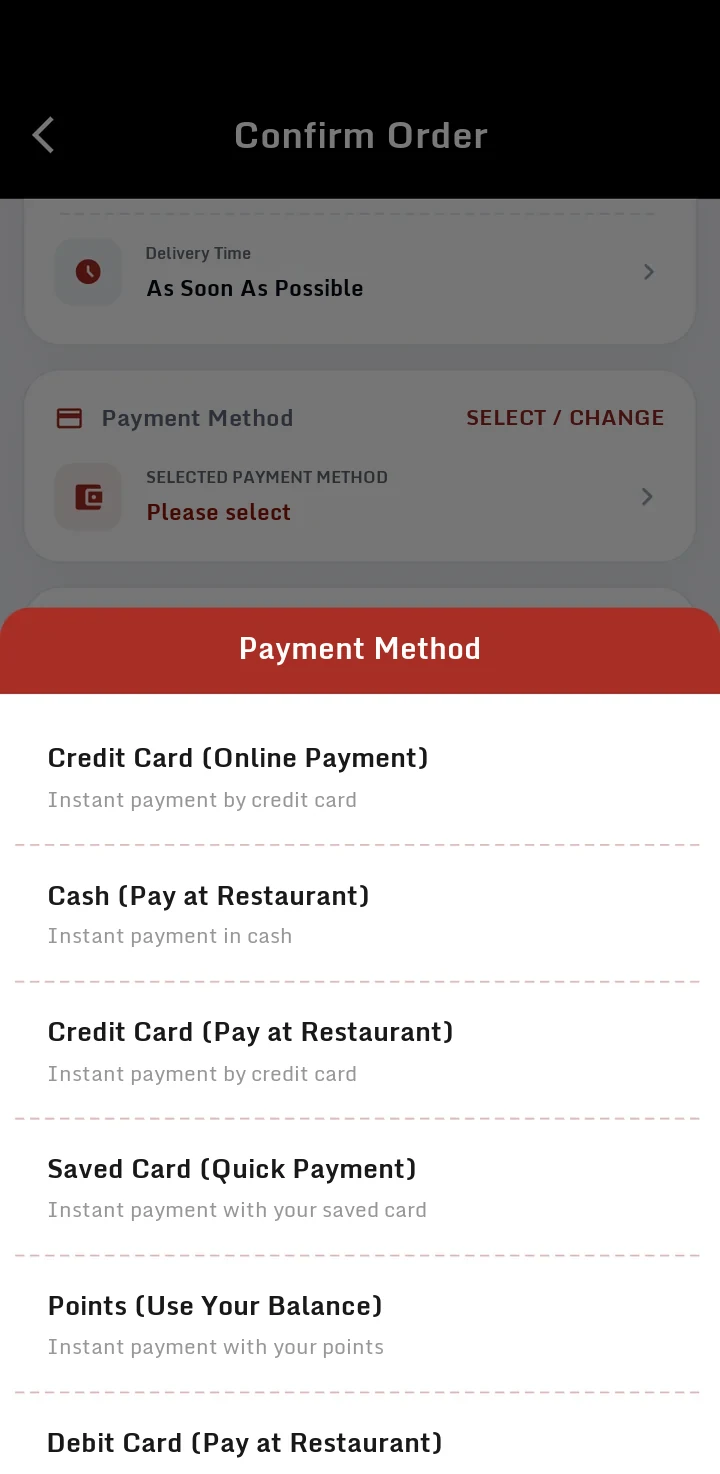
- Online payment by credit card
- Quick payment with a saved card
- Order confirmation after payment
Payment at the restaurant
Pay on delivery or at the till.
- Cash
- Credit card
Payment with points
Collected points, a real discount.
- Pay the full amount with points
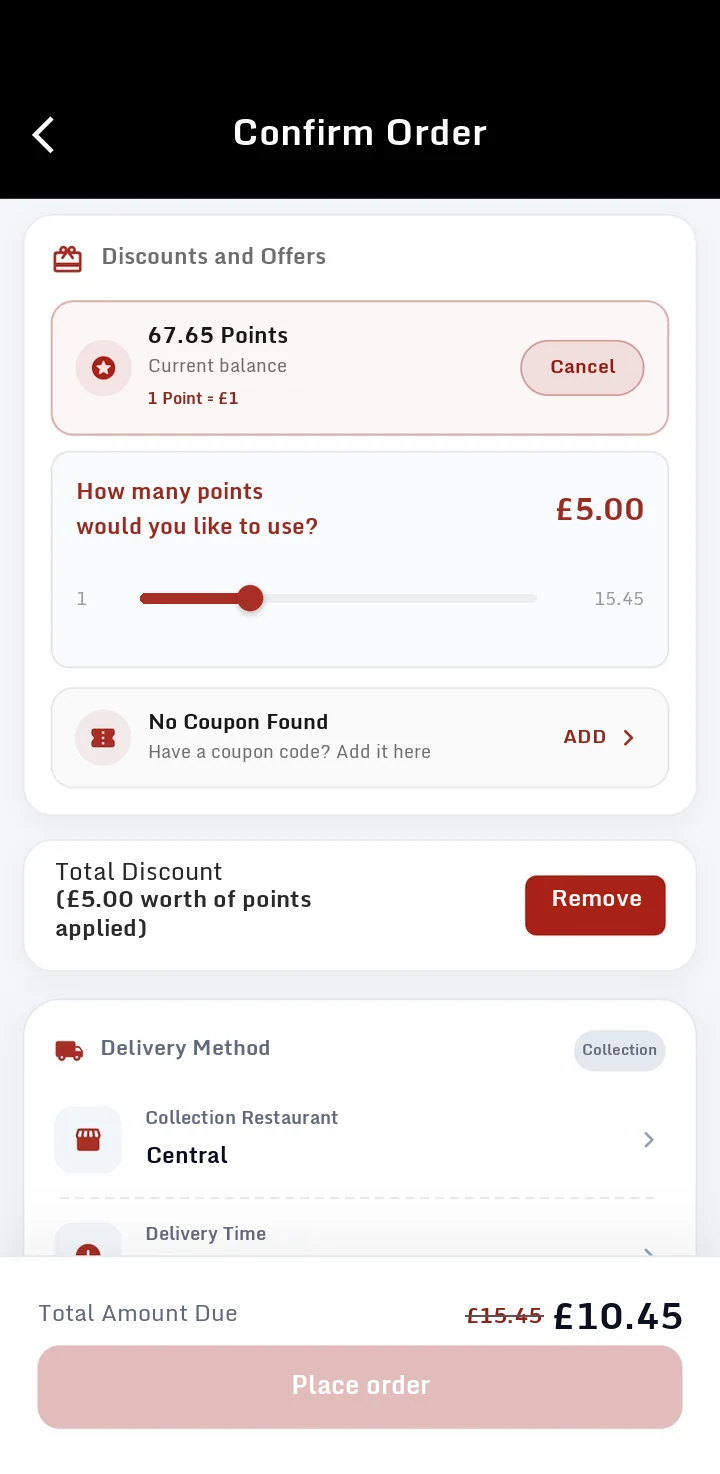
- Use as many points as you like with the slider
- Points return to the balance if you change your mind
Guest relations
Let nobody stand between you and your guests.
Membership
Getting acquainted through a phone number.
- Sign-up with SMS verification
- Sign-in with a social account
- Browse without signing up
Notifications
Straight to the guest's phone.
- Push notifications
- In-app notification inbox
- Guest consent preferences
Branches
The information that brings guests to your door.
- Branch list and search
- Address, phone and opening hours
- Directions
Points
Points are not just a number. They are a reason to come back.
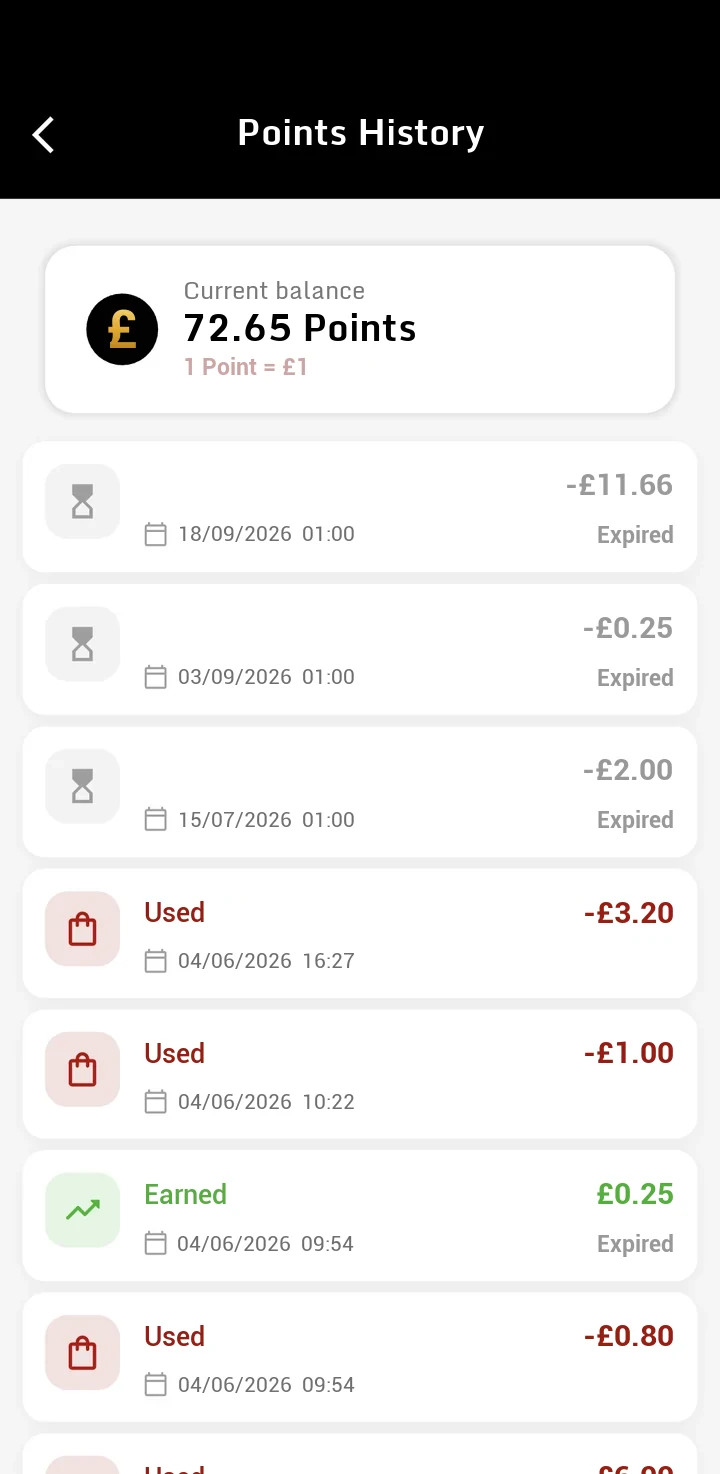
Guests see their balance every time they open the app; when ordering, they use the slider to spend as much as they like. What they have earned and what they have spent sit side by side. When loyalty is visible, it becomes a habit.
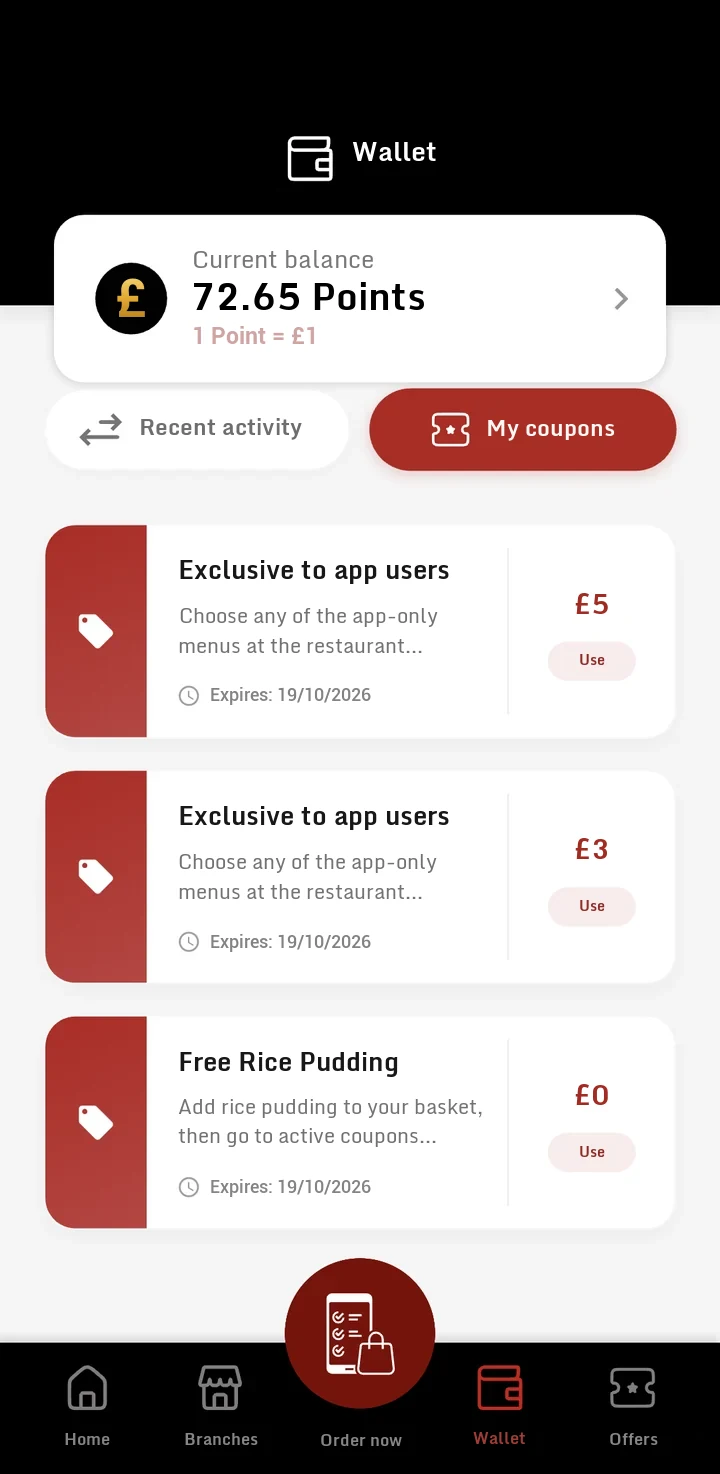
- The balance always up frontAt the top of the home, wallet and campaigns screens.
- Spend as much as they likeAll of the amount or part of it; the guest decides.
- Transparent historyEvery point earned, used and expired, with its date.
- Points with an expiry datePoints have an expiry date, so guests come back sooner rather than later.
Stamp cards and coupons
The tenth coffee is not a gift. It is the promise of nine visits.
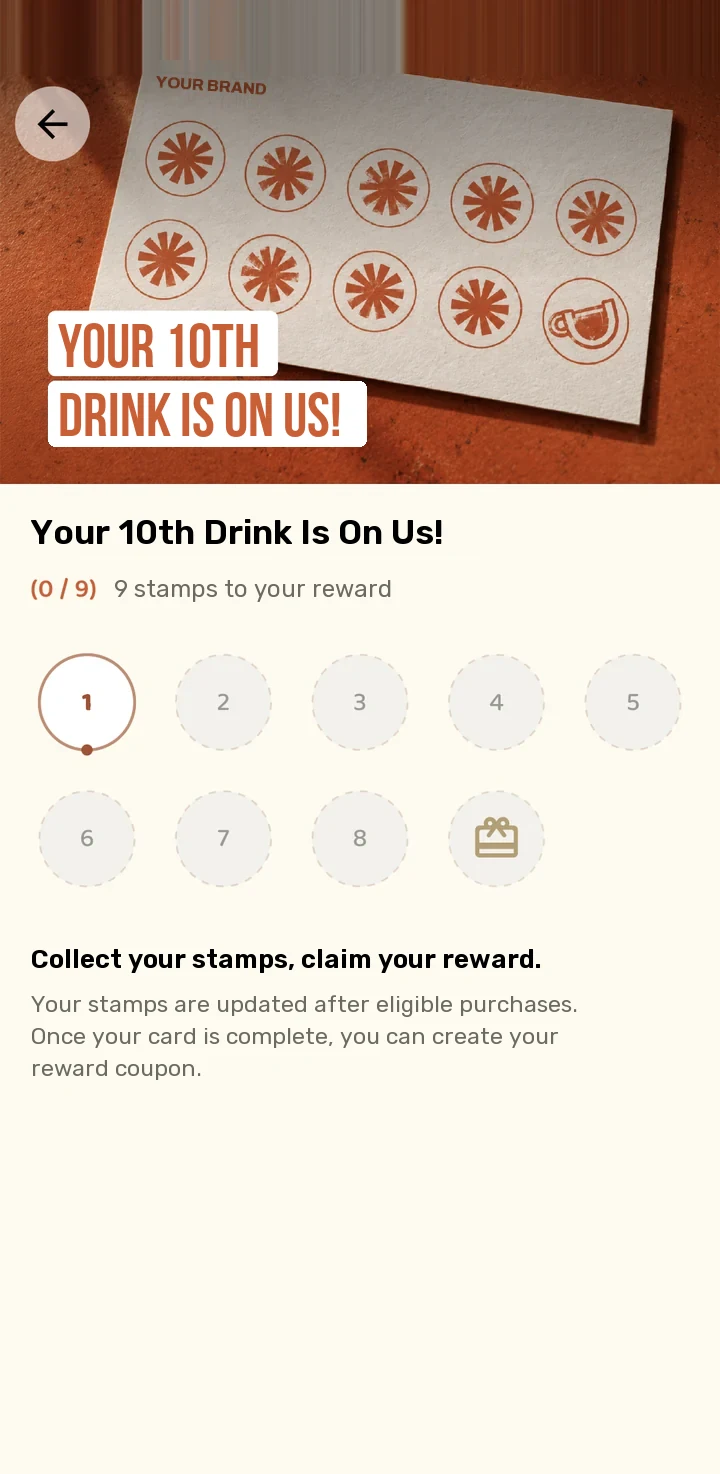
The stamp card is the oldest loyalty tool; but the paper gets lost or forgotten in a wallet. The digital stamp card stays on the guest's phone and reminds them how many steps are left to the reward every time they open it.
- Remaining stamps are visible"9 stamps to your reward" on the home screen, above the card.
- Linked to a campaignThe stamp is added automatically after a qualifying transaction.
- The reward becomes a couponWhen the card is full, the guest creates their reward coupon in one tap.
- Coupons in the walletGift and discount coupons wait in the wallet with their expiry dates.
Direct ordering
Let them order from you, not from a platform.
Don't pay a middleman commission on your most loyal guests' orders. Take delivery, collection and QR table orders through your own app. Your menu comes from RSManager; points and campaigns wait for the guest in the basket.
-
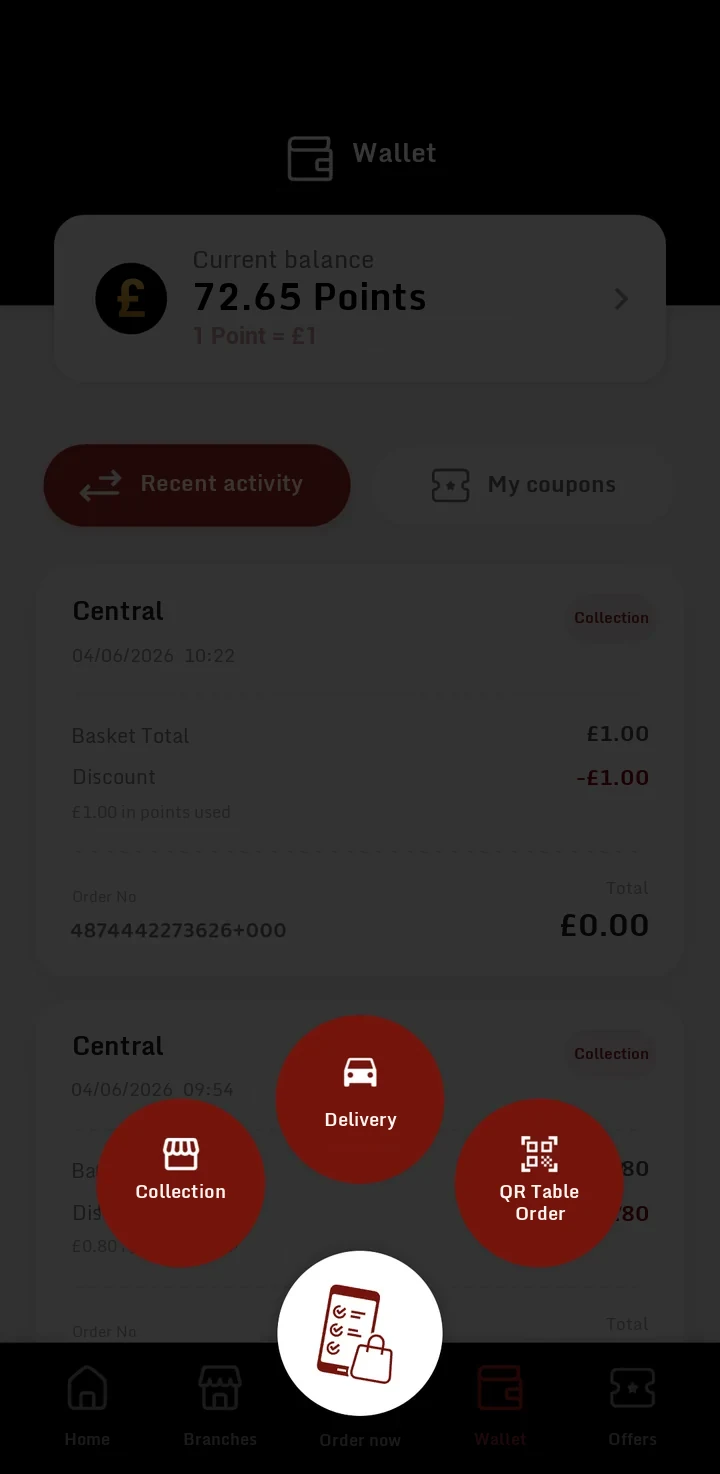
1. Chooses the channelCollection, delivery or QR at the table.
-
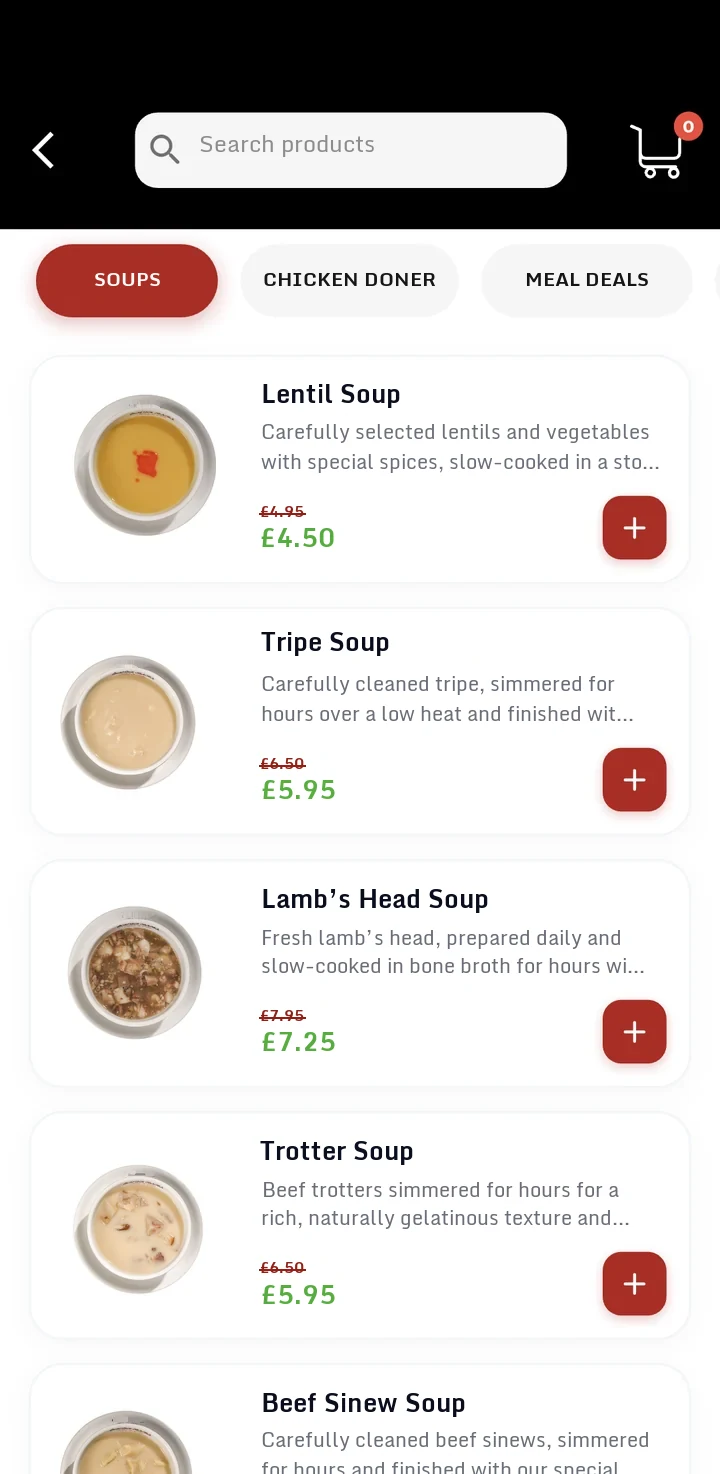
2. Browses the menuCategories, images, discounted prices.
-
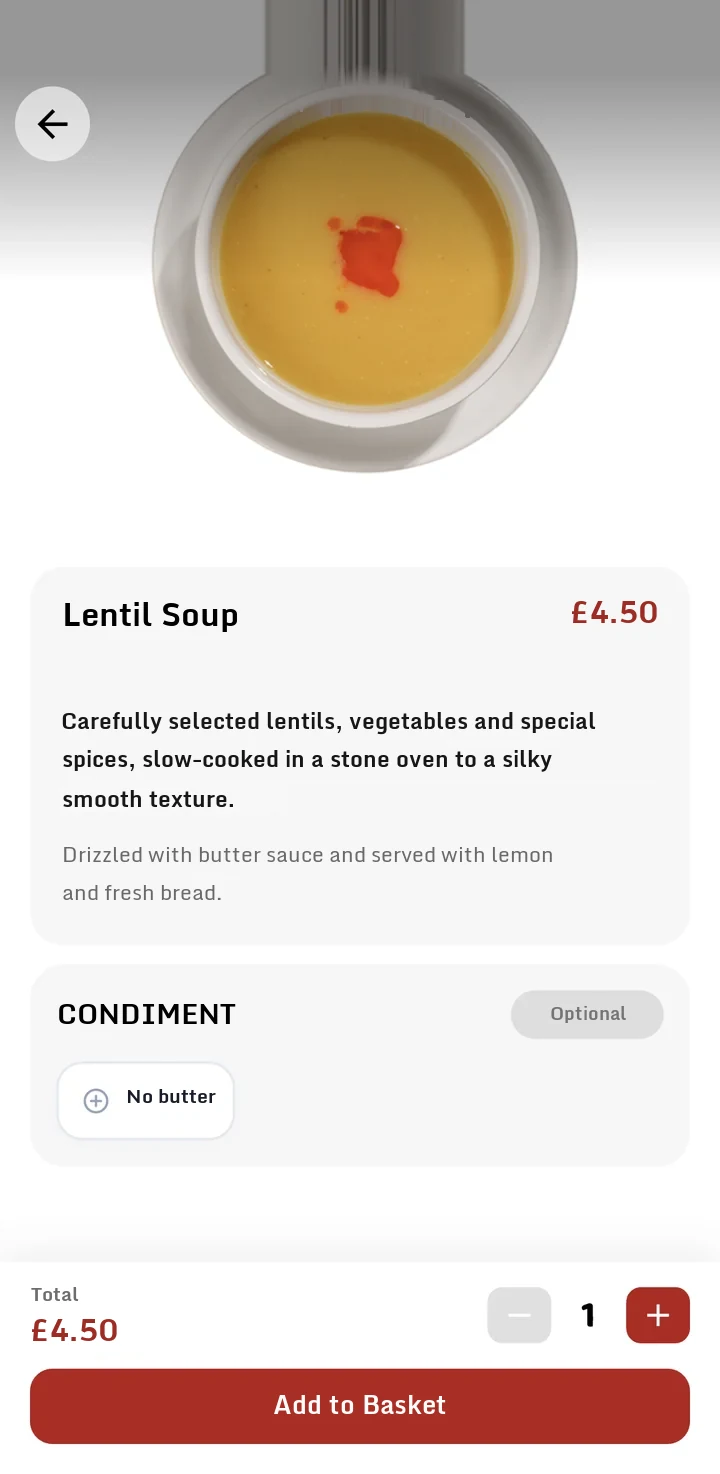
3. Looks at the productDescription and optional condiments.
-
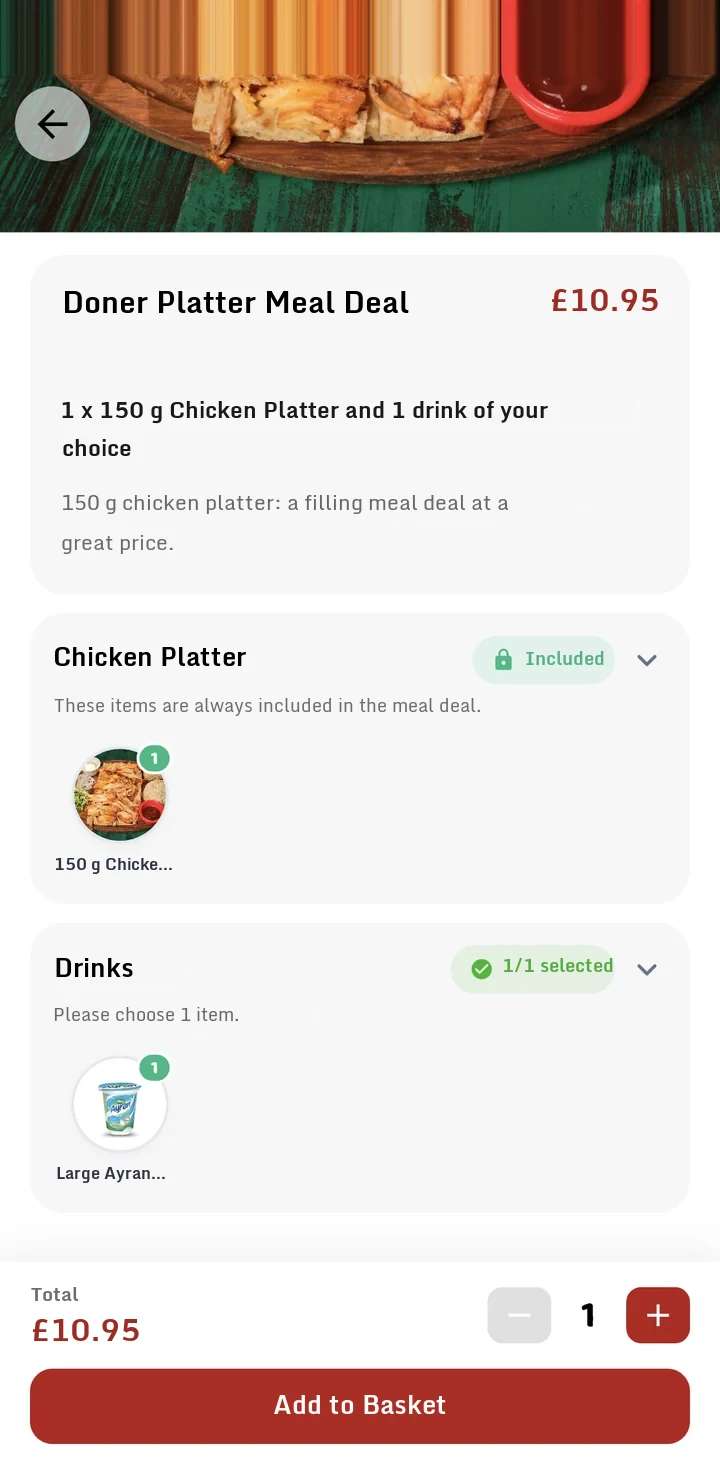
4. Builds the meal dealIncluded items and required choices.
-
5. Confirms the basketPoints, coupons and payment method one step later.
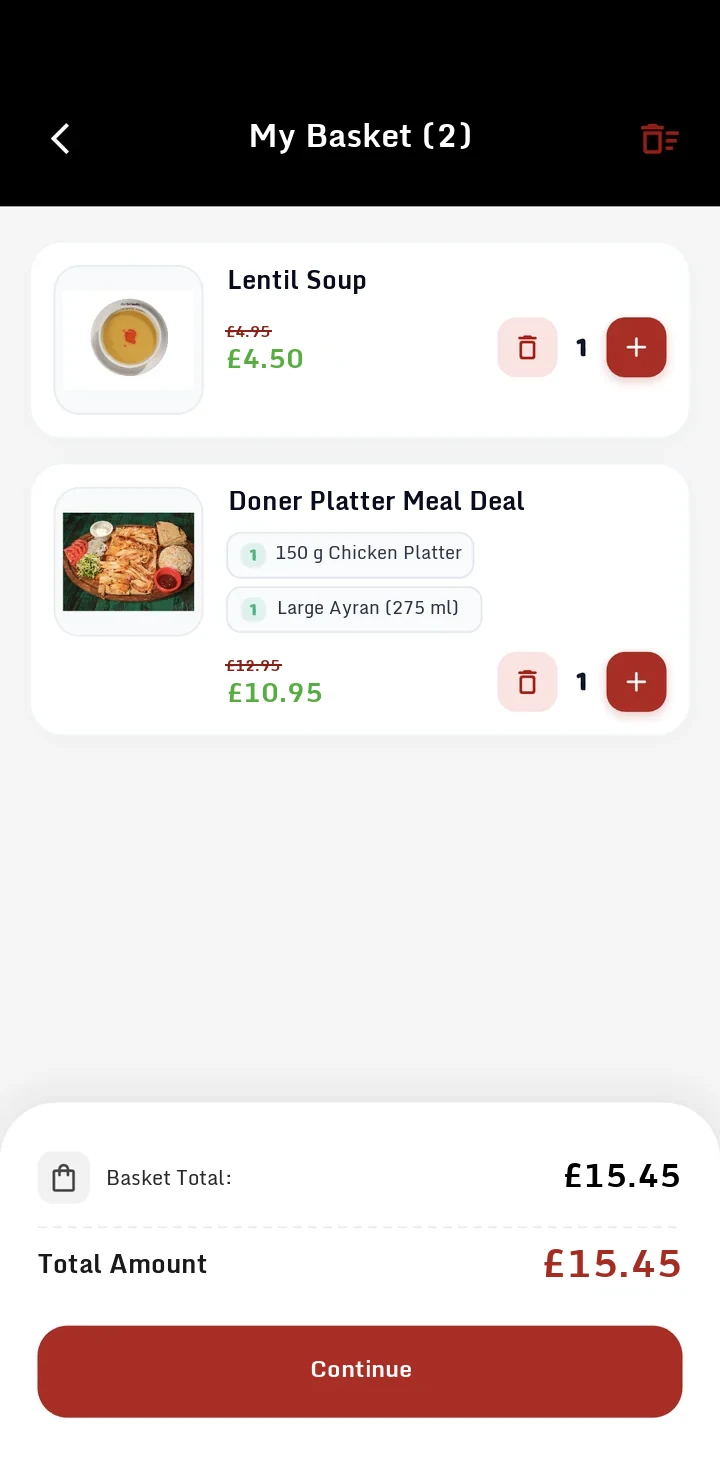
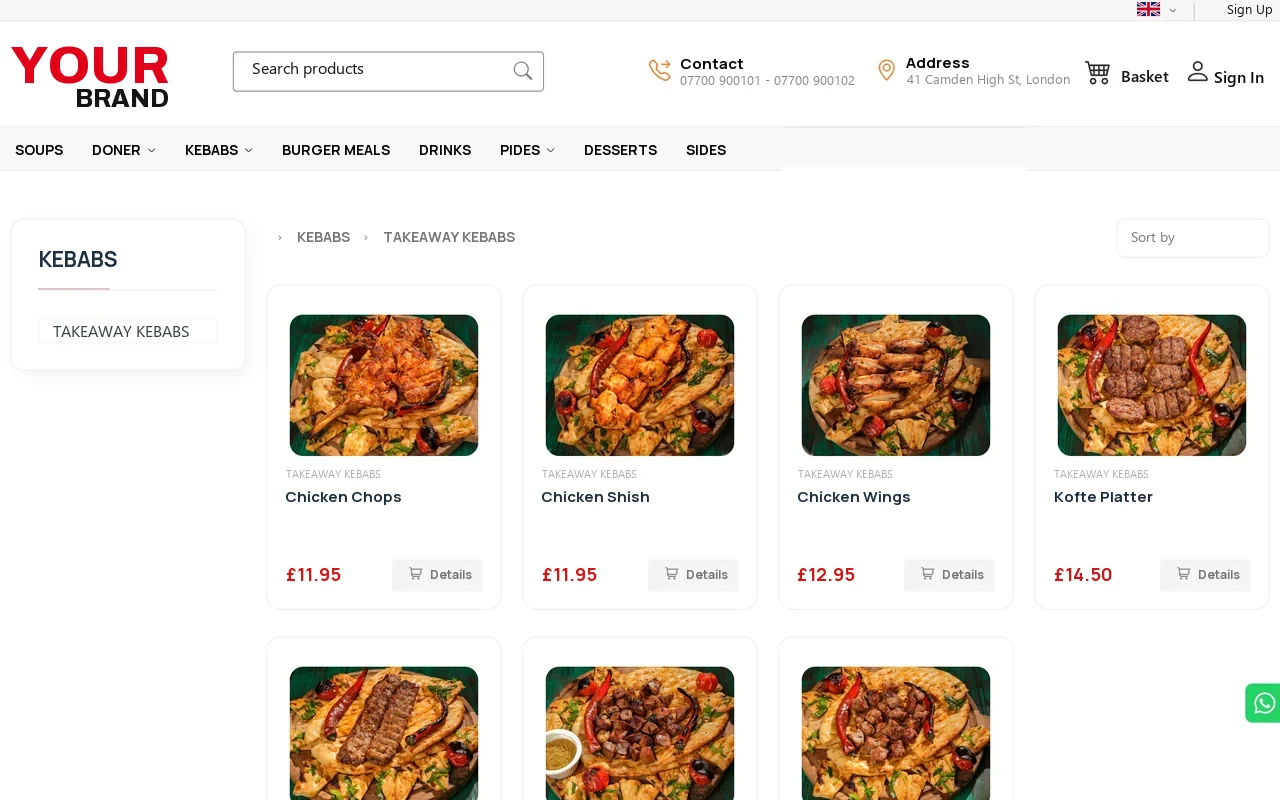
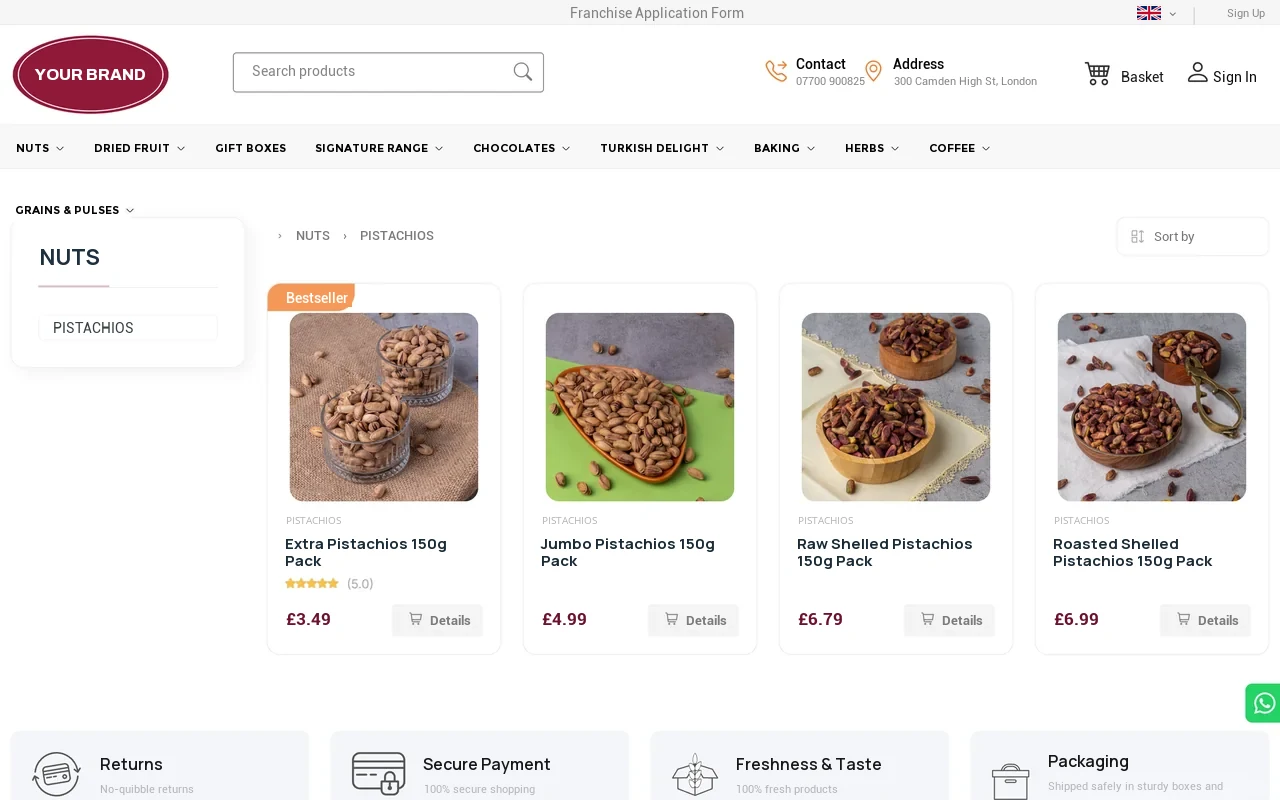
Guests who don't download the app buy from you too.
The same platform also sets up an ordering website for your brand. The menu and prices come from the same source as the app; guests can order from the app or from your website.
Campaigns
Your campaign is not on a flyer; it is in your guest's pocket.
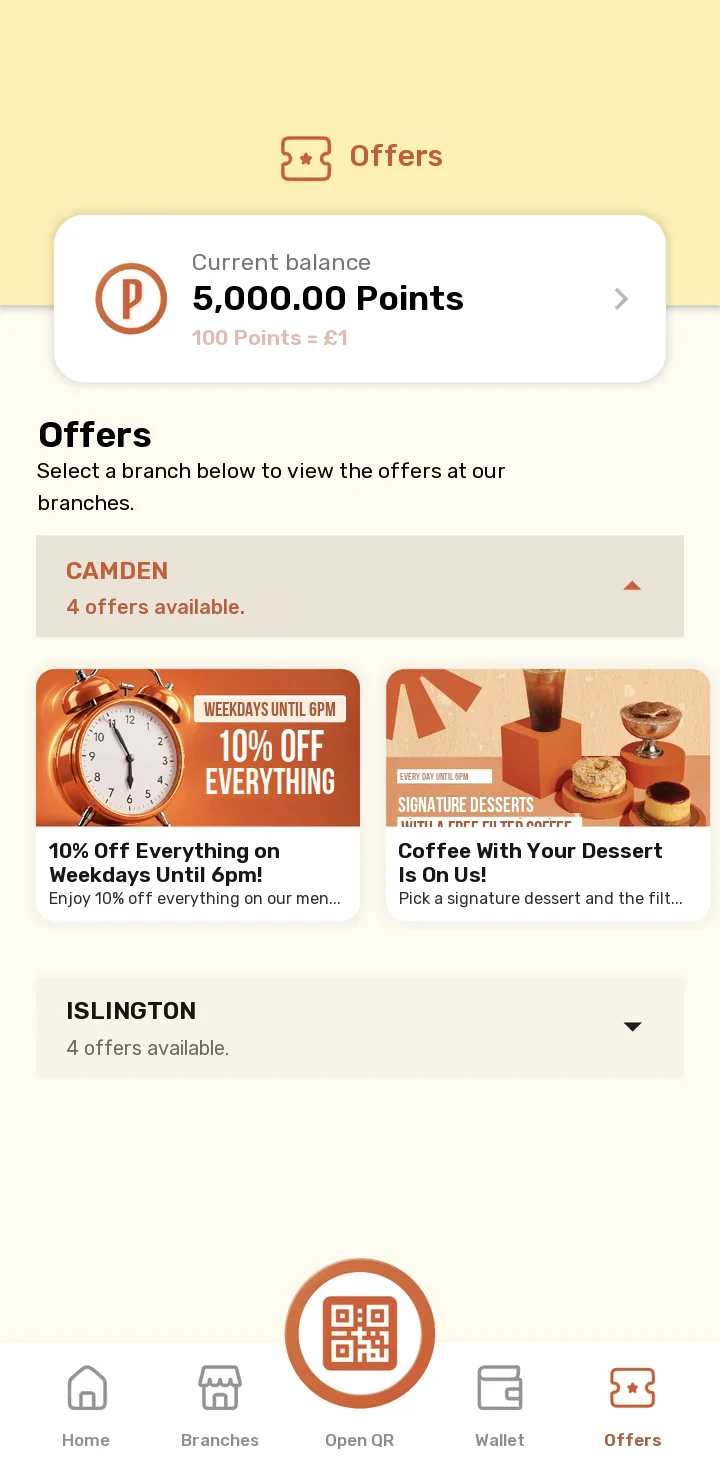
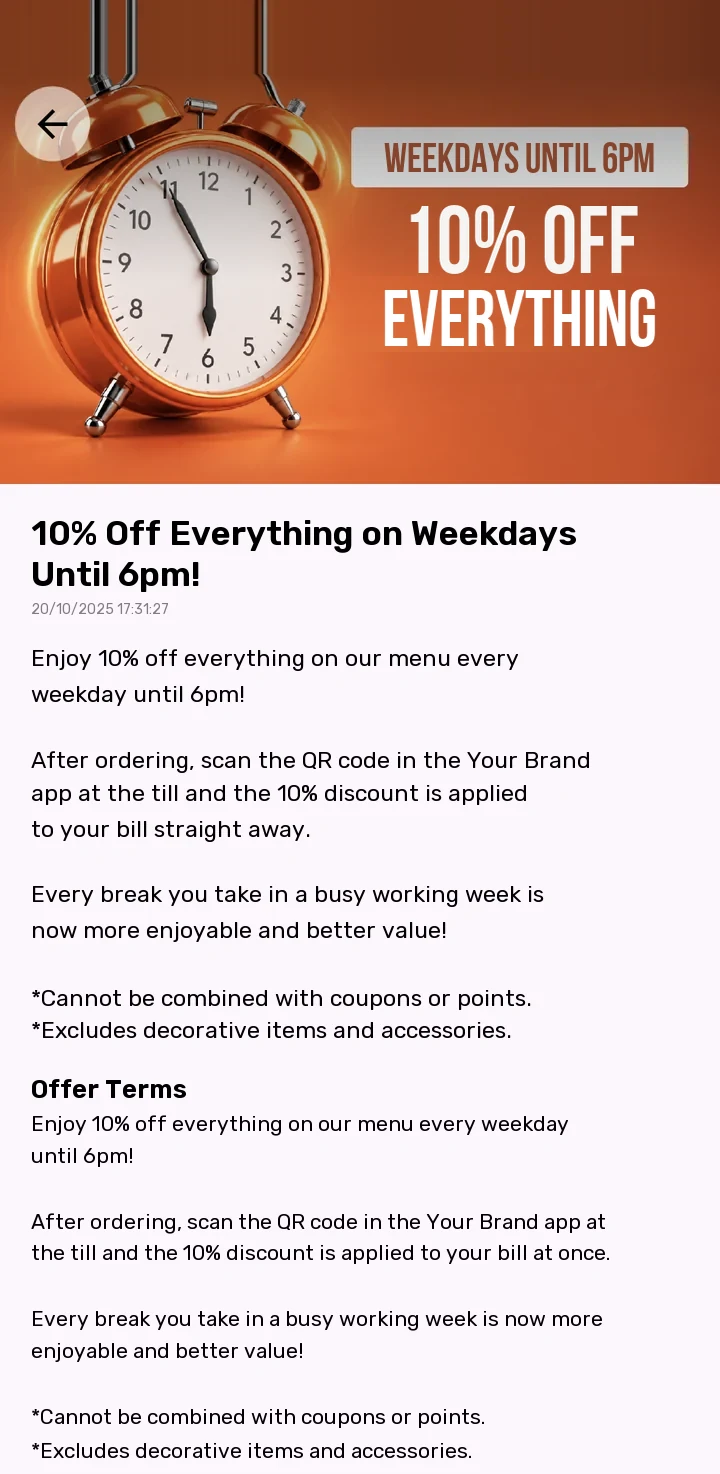
Each branch publishes its own campaigns. The guest sees the campaign, opens the details and reads the terms; when they show their QR code at the till, the discount is applied to the bill.
- Branch by branchEach branch's campaigns under its own heading.
- Images and termsThe campaign image, description and terms on one screen.
- Automatic at checkoutQualifying campaigns are applied to the basket automatically.
- Announced by notificationA new campaign lands on the guest's phone as a notification.
Management panel
You set up the campaign. The guest sees it in their pocket.
You don't wait for a developer to set up a campaign. In the web panel, you define step by step who wins what at which branch; while setting it up, you see how many guests can benefit from the campaign.
- Campaign typesGeneral campaigns, stamp card campaigns and new sign-up gifts; main and sub-campaign structure.
- Four-step wizardGeneral criteria, gifts, earning criteria, content and approval.
- Flexible giftsPercentage discount, discount amount or fixed price; on a product or a product group.
- You control the timingA date range or a "use within Y days, starting X days after earning" rule.
- Targeted points allocationLoad points with a validity period onto the guests you choose and, if you like, let them know with a notification.
- Approval and controlThe status, approval and dates of every campaign in one list; export to Excel.
Campaign List
+ Add NewExport to ExcelDelete Selected| Type | Description | Campaign Type | Start | End | Status | Approved |
|---|---|---|---|---|---|---|
| New sign-up gift | Welcome campaign | Main campaign | 2026-09-03 | 2026-12-31 | Active | Yes |
| Stamp card | Your 10th drink is on us! | Main campaign | 2026-09-03 | 2026-12-31 | Active | Yes |
| General campaign | Free filter coffee with our signature desserts | Main campaign | 2026-04-14 | 2026-12-31 | Active | Yes |
| General campaign | Free coffee on £200 and over (coupon) | Sub-campaign | 2026-04-06 | 2026-12-31 | Inactive | Yes |
| General campaign | 10% off on weekdays | Main campaign | 2026-09-01 | 2026-12-31 | Active | Yes |
Showing 5 records
Add Campaign
General Information
- Campaign type: Stamp card
- Number of customer groups: 1
- Number of branches: 3
- Gift given: Drinks group
Guests eligible for the campaign1,240
Gift Details
Guest Selection
| Full name | Phone | Group | Points | City | Status | |
|---|---|---|---|---|---|---|
| Sophie Clarke | 07700 900 *41 | s***@example.com | Regular | 1,250.00 | Leeds | Active |
| Oliver Bennett | 07700 900 *07 | o***@example.com | Regular | 390.00 | Leeds | Active |
| Amelia Hughes | 07700 900 *63 | a***@example.com | New member | 0.00 | Leeds | Active |
| Daniel Price | 07700 900 *18 | d***@example.com | Regular | 2,915.00 | Leeds | Active |
Add Points Form
Send Points
The guest and campaign details shown are examples.
Ecosystem
The app doesn't work on its own. It talks to your till.
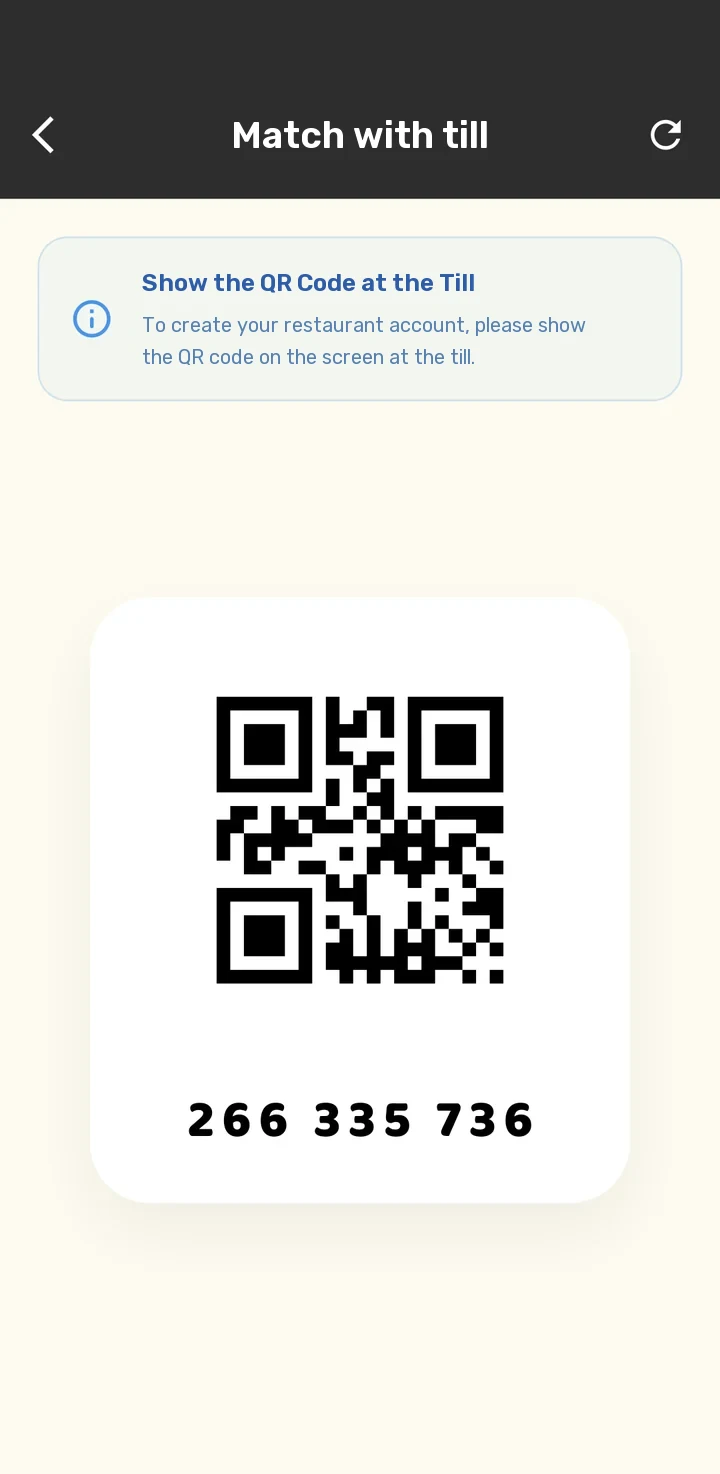
Loyalty only works if the guest is recognised at the till. The guest shows the QR code on their phone at the till; their campaign is applied to the bill. Products, menus and prices come from the RSManager catalogue.
Till (POS)
The guest is matched by QR; the campaign is applied to the bill.
Point of saleRSManager
Products, menus and prices are managed in one place and flow into the app.
RSManagerOnline payment
Card payment and quick payment with a saved card.
Online paymentQR at the table
The QR code on the table opens a session and the order goes to that table.
How do you get started?
Your own app in four steps.
By moving your brand and menu onto a ready-made platform, you go live in a short time.
-
1
Demo meeting
Together we review your business and which channels you want to open.
-
2
Brand identity
Your app is prepared with your logo, colours and points name.
-
3
Set-up
Points, stamp cards, campaigns and order channels are defined to suit your business.
-
4
Launch
Your app is published on the App Store and Google Play under your name.
Frequently asked questions
Your questions answered.
Who uses this platform?
Dozens of businesses, from restaurants to cafés and from retail to chain brands, publish their own app on this platform. The largest restaurant CRM app, reaching more than 1.5 million users, also runs on this system.
Whose name is the app published under?
Your business's name, logo and colours. Your guests see your app in the store and download it.
Do I have to take orders, or can I use just the points system?
You don't have to. Delivery, collection and QR table ordering are each switched on separately; you can also use the app with points, coupons and campaigns only.
Do I need to update the app to switch a feature on or off?
No. Features such as order channels, waiter calling and the prize wheel are switched on and off remotely; guests do not need to update the app.
Who sets up the campaigns?
You do. From the web-based management panel, you define, approve and publish campaigns, gifts, coupons and points allocations yourself.
Do points and stamp cards work together?
Yes. Guests earn points as they spend and a stamp on every qualifying transaction. When the stamp card is full, the reward lands in their wallet as a coupon.
How do guests use their points?
When they order. They can pay the full amount with points or use the slider to spend as many as they like; if they change their mind, the points go back to their balance.
Can I separate campaigns by branch?
Yes. Campaigns are listed by branch; guests see each branch's offers separately.
How are guests recognised at the till?
The guest shows the QR code in the app at the till. The till recognises the guest and their campaign is applied to the bill.
What payment methods are available?
Online payment by credit card and quick payment with a saved card; cash and credit card at the restaurant; and payment with points.
Do I have to enter the menu and prices separately?
No. Products, menus and prices come from the RSManager catalogue; you define them once.
Do I pay commission on orders from my own app?
No. Orders come directly from your app, not from an intermediary platform; there is no intermediary platform commission.
Your guests will come again. Let them come through your app.
Let us show you the Loyalty Management System with your own brand and menu in a demo tailored to you.
Why don't we list prices?A café with a single till and a multi-site chain don't have the same needs; we work out the price together based on your number of branches, your hardware and the services you choose.